Custom Canva Frame: 9 Font Styles for Digital Design
The Intersection of Typography and Texture
There is a distinct challenge in digital design when you want the sharpness of typography combined with the tactile feel of physical media. Usually, you have to choose between a flat vector text or a rasterized image that loses quality when scaled. The Custom Canva Frame - 9 Font Styles collection bridges that gap. It offers a specialized toolkit where text isn't just a layer on top of an image; the text itself is the vessel.
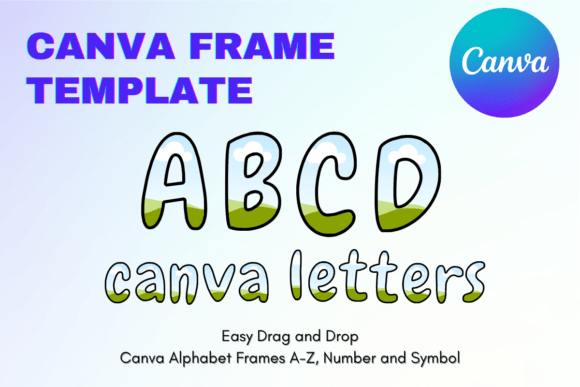
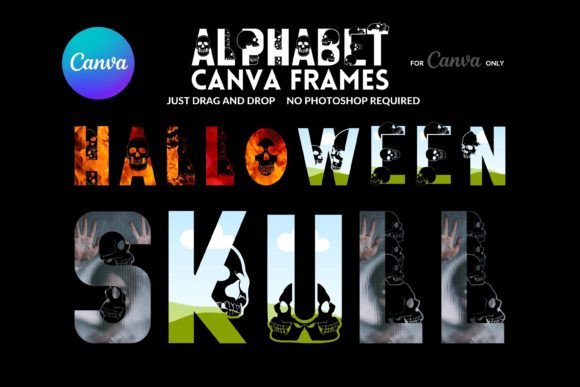
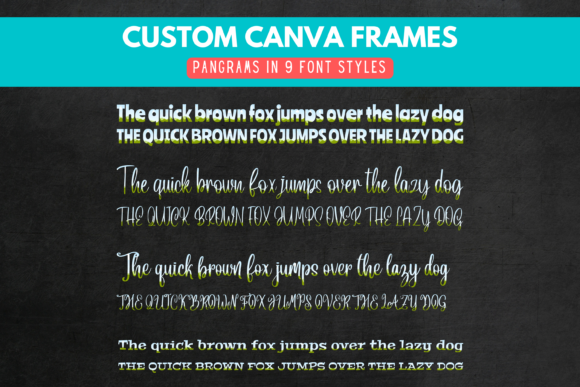
This collection provides nine distinct display font styles constructed as custom frames within Canva. Visually, these assets range from bold, structural serifs to fluid, organic scripts. The defining characteristic is their empty interior. They are not static images; they are containers. This allows you to maintain the crisp edges of modern typography while filling the letterforms with high-resolution photography, video loops, or digital paper textures. It creates a look that is both polished and deeply personalized, suitable for everything from packaging design to social media graphics.
Practical Applications for Creators and Brands
Understanding where these frames fit into a workflow is key to getting the most out of them. For content creators and marketers, these assets solve the problem of standing out in a crowded feed. A standard caption on an Instagram story often gets scrolled past, but a headline where the letters reveal a specific product texture or a brand-aligned color palette commands attention.
Elevating Brand Identity and Marketing
For small business owners and entrepreneurs, consistency is the bedrock of a strong brand identity. Using the Custom Canva Frame - 9 Font Styles allows you to create a recognizable visual language. Imagine a coffee shop using the "bold sans" frame, filled with images of their specific roast, for every weekly special announcement. Or a florist using a "flowing script" frame filled with video of fresh blooms. This approach turns standard advertising into immersive editorial design.
These frames are particularly effective for logo design concepts or wordmarks. While you wouldn't use a frame for a tiny favicon, for a hero image on a website or a watermark on a portfolio, these shapes provide a professional aesthetic that looks far more complex than it is to create. Because the tool is native to Canva, the barrier to entry is low, but the output looks like premium design assets.
Stationery and Physical Products
The utility extends beyond the screen. For crafters and those involved in physical card making, these frames are invaluable. You can design a birthday card where the word "Happy" is filled with a pattern matching the party theme, or create wedding invitations where the couple's initials are filled with a photo from their engagement shoot. The versatility of the nine styles ensures that whether the project requires a serif font for formality or a handwritten font for intimacy, the right option is available.
Design Dynamics: Hierarchy and Readability
When incorporating the Custom Canva Frame - 9 Font Styles into a project, it is important to consider how they influence visual hierarchy. These frames are inherently eye-catching. Because they contain texture or motion, they should generally be reserved for headlines, titles, or key focal points. Using them for body text would likely reduce readability and overwhelm the viewer.
The Psychology of Texture in Typography
Different frames evoke different emotional responses. A frame styled like a serif font filled with marble textures suggests luxury and tradition, making it ideal for high-end product launches or legal firm branding. Conversely, a sans serif font frame filled with concrete or digital glitches fits well with tech startups or urban streetwear brands. The script font options add a layer of human touch and elegance, perfect for lifestyle blogs or boutique retail.
When evaluating project fit, look at the "personality" of the font style. Does it match the voice of the brand? A playful, bubbly frame might work for a children's party flyer but would feel out of place on a serious financial report. The collection offers enough variety to cover a wide spectrum of tones, but careful selection is still required to ensure the typeface aligns with the message.
Technical Integration and Workflow
One of the most significant advantages of this product is its compatibility. It functions seamlessly in both the free and paid versions of Canva. This democratization of design tools means that a freelance blogger can achieve the same level of polish as an agency with a full Adobe suite. The drag-and-drop functionality removes the need for complex masking or clipping path tutorials.
Pairing and Composition
To get the best results, consider the font pairing for the rest of your layout. Since the frames are visually heavy and textural, pair them with clean, legible fonts for any supporting text. For example, if you use a bold, textured frame for your header, use a simple geometric sans-serif for the sub-headers and body copy. This contrast prevents the design from becoming cluttered and ensures the message remains clear.
When filling the frames, think about contrast. If you are using a light-colored image or digital paper, ensure the background behind the text is dark enough to make the letters pop, or vice versa. Experimentation is easy with this system; you can swap out the fill content in seconds to see how different textures change the mood of the piece.
Conclusion: A Versatile Asset for Modern Creators
The Custom Canva Frame - 9 Font Styles collection is more than just a set of shapes; it is a workflow enhancer. It allows designers, hobbyists, and professionals to create complex visual effects without leaving the Canva environment. By combining the structure of typography with the richness of imagery, these frames help create memorable web design elements, print materials, and digital assets that engage audiences and strengthen brand recognition.